
Access your email from any web browser without installing email software.
Before you begin
You will need your full email address and the password for your email account.
1. Open the Webmail Login Page
Open your preferred web browser and enter:
webmail.yourdomain.com
Replace yourdomain.com with your actual domain name
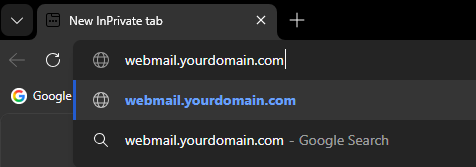
Enter webmail.yourdomain.com in your browser's address bar.
2. Sign In
Once the Webmail page loads, you will be presented with the login screen.

The Webmail login page.
Enter:
- Email Address – Your full email address (e.g. example@yourdomain.co.uk)
- Password – The password for your email account
3. Log In
After entering your details, select Log in.

Enter your full email address and password, then select Log in.
4. Access Your Mailbox
Once logged in, your mailbox will open. From here you can:
- Read and send emails
- Organise messages into folders
- Manage contacts
- Access mailbox settings

Your Webmail mailbox after successfully signing in.
Need help signing in?
If you've forgotten your password, please contact our support team for assistance.